Most of what goes wrong at a live event does not go wrong on show day. The slides wash out because nobody checked whether the house lights dim. The band’s load-in runs ninety minutes long because the only path to the stage is a flight of stairs. Both problems were decided weeks earlier.
This event production planning checklist walks through the technical side of a live event in the order those decisions need to happen. If you have not booked production yet, start with how far in advance to book event production services.
The Checklist at a Glance
- Define the event: headcount, room layout, program format, who needs a mic, and who owns the budget
- Walk the venue: load-in path, power, ceiling height, sightlines, ambient light, and venue rules
- Build the technical plan: audio coverage, mic count, screen size, front light, and stage layout
- Plan power and cable paths: which circuits are available, what else is on them, and how cables cross walkways
- Write the production timeline: load-in, sound check, rehearsal, doors, show, and teardown
- Rehearse with a run of show: every segment, mic, video cue, and lighting change on paper
- Add an outdoor plan if needed: generator, noise limits, daylight, sunset, and a weather decision point
Phase 1: Define the Event Before You Book Equipment
Before anyone can quote a system, the plan needs answers to a short list of questions:
- How many people will attend, and how is the room arranged?
- Is the event indoors, outdoors, or both?
- What is the program? Spoken word, live music, video, awards, or a mix?
- How many people need to be heard, and do they move while speaking?
- Does anything need to be projected, streamed, or recorded?
- Who has final say on the technical budget?
Those answers change the system more than most organizers expect. A 300-person gala with a live band and an auction needs a different setup than a 300-person school assembly with one presenter and a handheld mic.
Bring the budget in early, because it decides whether the honest recommendation is two speakers and a small console or a full live event production package with a crew.
Phase 2: Walk the Venue
A floor plan tells you where the walls are. It does not tell you the electrical panel is behind a locked door or the loading entrance is across the building from the stage. Walk the room with your production team and confirm:
- Load-in path, including door widths, stairs, elevator size, and truck parking
- Power locations and whether they reach the production area
- Ceiling height, and whether anything can be hung
- Sightlines from the back row, the far sides, and any balcony
- Ambient light on any surface you plan to project onto
- Space for the mix position, cases, and backstage storage
- Venue rules on curfew, noise, adhesives, insurance, and building access
School gyms show why this matters. They are reverberant rooms with almost no soft surfaces, so a system that sounds clear in a carpeted ballroom can turn to mush in a gym. Clear speech there depends on aiming coverage at the seating and away from the hard walls.
Phase 3: Build the Technical Plan Around the Program
This is where the program turns into equipment. Each discipline gets its own plan, and then the plans get checked against each other.
Audio
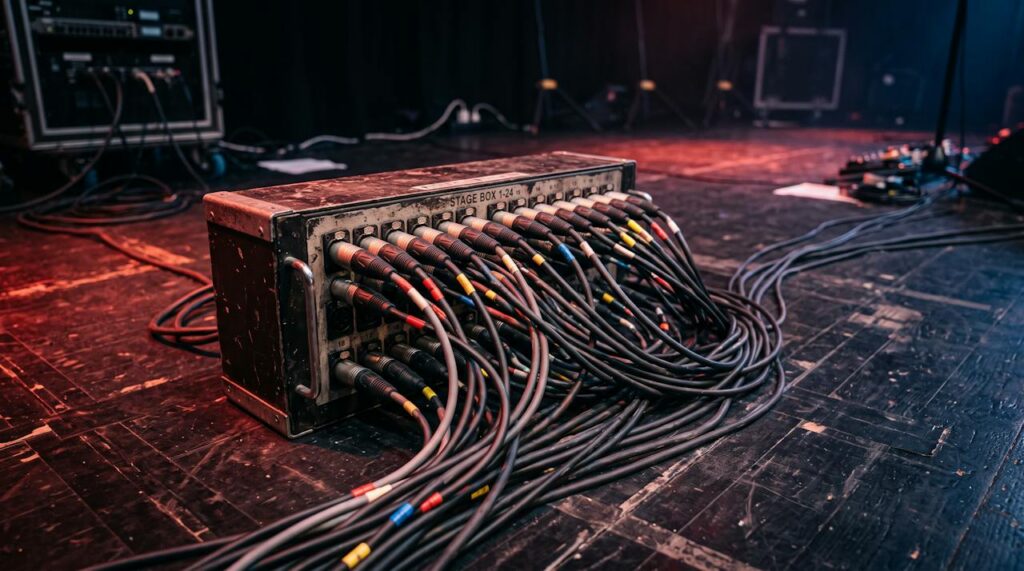
Everyone should hear the program at a consistent level, and that depends on speaker placement more than speaker size. AVIXA publishes a standard for measuring audio coverage uniformity across listener areas. In practice, wide or deep rooms need extra coverage or delay speakers so the back third is not straining while the front row is uncomfortable.
Microphones follow the program. Handheld wireless suits roaming presenters. Lavaliers free up hands but pick up clothing noise and give less gain before feedback. Count your channels honestly, including the panel that grew from three seats to five. If you are pulling older wireless mics out of a closet, have them checked first, since some older systems run on frequencies that are no longer allowed.
Video
Screen size is driven by the farthest viewer and the smallest thing they need to read. A common planning guideline puts the farthest seat within about eight times the screen height for basic legibility, and detailed content needs a larger image.
Projection costs less and scales large but loses to ambient light. LED holds up in bright rooms and outdoors but costs more and takes longer to set up. For conference production with presenter handoffs, video switching matters more than screen size. If the event is streamed, plan a dedicated audio feed from the console instead of a camera mic, and confirm the venue’s upload bandwidth before the day.
Lighting
Lighting has two jobs: making faces visible, which matters most when the event is recorded or streamed, and shaping the room with washes, color, and uplighting. A room whose house lights only turn fully on or off will fight every screen you put in it.
Staging and Sightlines
Riser height has to let the back row see without costing performers their headroom. Accessible stage access needs a ramp planned into the layout, not improvised on the day. Check where the podium sits, because a podium in front of the main speakers is asking for feedback.
Phase 4: Power, Cable Management, and Safety
Power is one of the most common surprises in production planning. Audio, video, and lighting draw more than most rooms are wired to supply, and shared circuits cause noise as well as tripped breakers. Coffee urns on the sound system circuit have ended more than one event early. Find out which circuits are available, what they are rated for, and what else is on them. Outdoor sites and older buildings may need a generator.
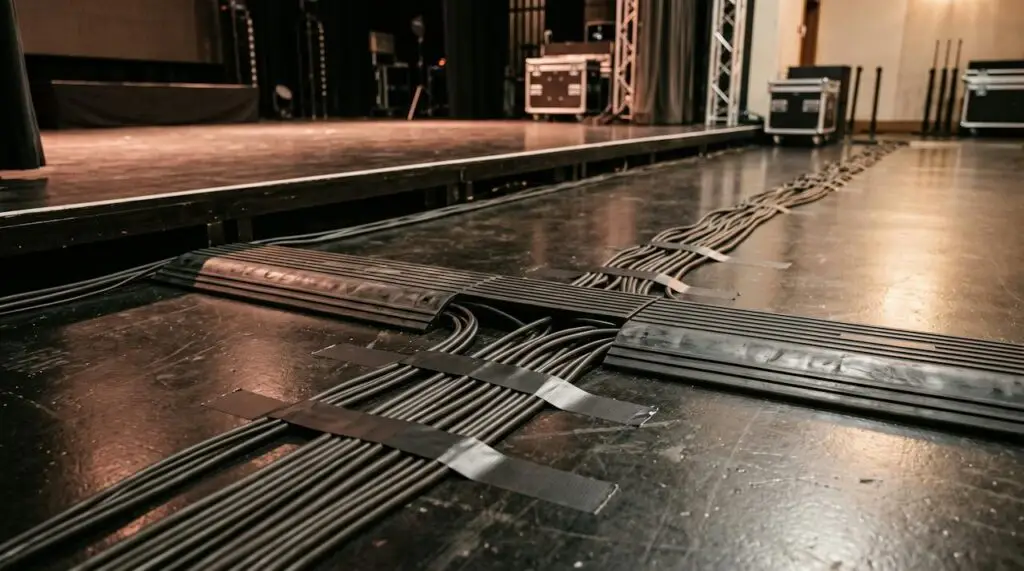
Cables crossing walkways need mats or ramps, exits and accessible routes have to stay clear, and anything hung overhead has weight limits that are not negotiable.
Phase 5: Build the Production Timeline From Load-In to Load-Out
Every event has a technical schedule whether or not anyone writes it down. Writing it down is better. A realistic sequence:
- Load-in and case staging
- Staging, rigging, and lighting positions
- Audio setup and cable runs
- Video build and signal checks
- System tuning, lighting focus, and line check
- Sound check and rehearsal with the actual presenters or performers
- Doors and show
- Teardown and load-out
For most of our events, load-in through line check takes about two to six hours, depending mostly on the size of the stage. That window has to fit inside your venue access time with room left for sound check and rehearsal.
Teardown is the step organizers forget to negotiate. A school gym may be needed for first period, and a festival site may have a hard removal deadline. Settle setup and strike windows before the contract is signed. For AV production for school events, access windows are often the tightest constraint in the plan.
Phase 6: Rehearsal and the Run of Show
The run of show is a minute-by-minute document listing what happens, who is speaking, which mic they are on, what appears on screen, what the lighting does, and who calls each transition. It is the difference between a crew reacting and a crew anticipating.
Awards ceremonies show why it matters. Forty recipients crossing a stage means forty name cues and a plan for the presenter who goes off script. For gala and fundraiser production, the auction segment needs its own cue list: the auctioneer’s mic, the screen content, and enough light for bidders to be seen.
Phase 7: Outdoor Events Need a Second Checklist
Outdoors, the building stops solving problems for you. Power usually means a generator. Sound spreads out instead of reflecting back, so coverage takes more planning, and local noise ordinances may cap levels or set an end time. Screens fight daylight, which pushes most outdoor video toward LED. Lighting has to be planned against sunset, not program start time.
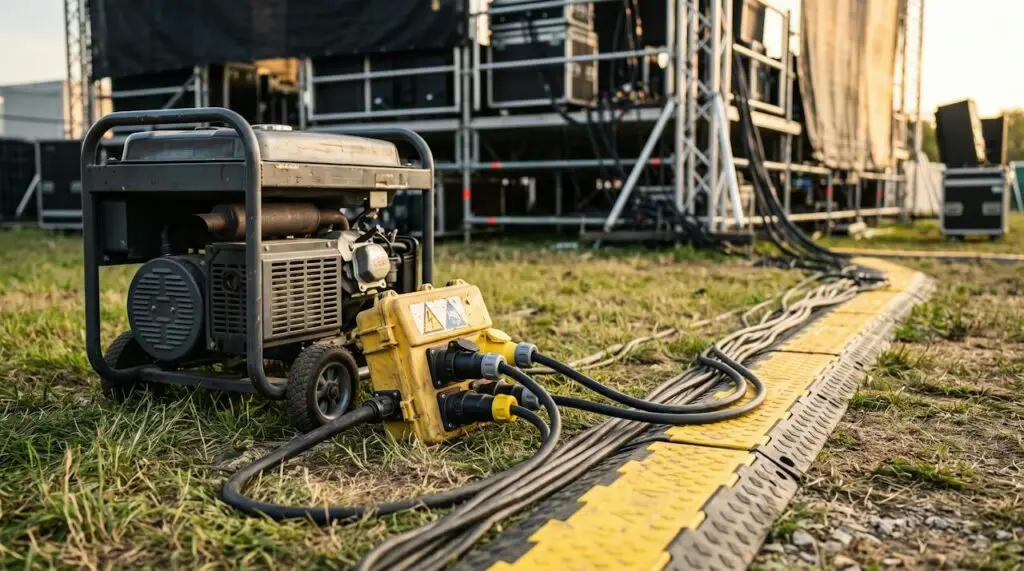
Weather drives the rest. Equipment needs cover, structures need to be secured against wind, and cable paths across grass need protection. Set a decision point in advance: who makes the weather call, by what time, and what the backup plan is. Festival production services live or die on that plan.
Frequently Asked Questions
Can we just use the venue’s built-in sound system?
Sometimes, and it is worth testing rather than assuming. Many house systems were designed for background music and paging, not live program audio. Check the number of inputs, whether it supports wireless mics, whether coverage reaches the seats you are using, and whether anyone on site can run it. Test it during your walkthrough with a mic and your actual content.
Who is responsible for presenter laptops, slides, and media?
Usually it is shared. The organizer collects files and confirms the format and aspect ratio. The production team handles switching, scaling, and adapters. Get final files to your production team as early as possible so they can run everything through the actual playback system during rehearsal. Presenter laptops cause a lot of last-minute problems, usually resolution mismatches or audio that never got routed to the house system.
Planning an Event in the Greater Philadelphia Area?
Whether you need a full crew or just professional AV equipment rentals, Out Loud Productions can help you build the plan around your venue, audience, and program. Our team brings nearly 30 years of combined AVL experience to events across Montgomery, Bucks, Philadelphia, Chester, and Delaware counties. Tell us about your upcoming event and we will help you work out the technical side.